
Keep every session on time and on screen
Speaker timers, name captions, questions from the audience’s phones and an overlay for your livestream, from one free app.
Version 0.1.0 · Windows 127 MB · Mac 230 MB · How to install it
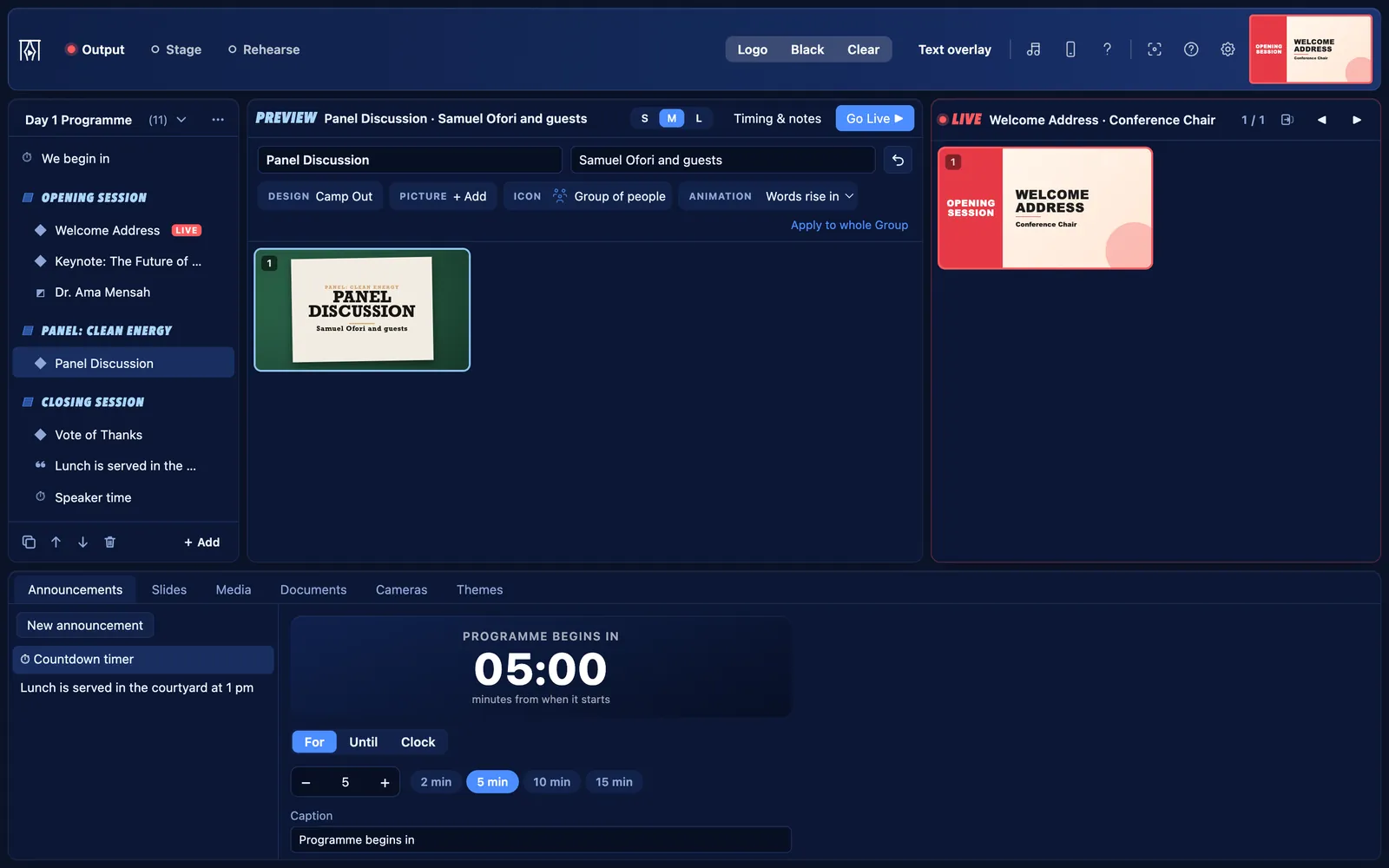
For conference and seminar organisers, and AV crews.
Talks, sessions, speakers and sponsors
Speakers who keep to time
- Run a timer on the stage display only. It turns amber at 5 minutes left, then red with Wrap up at 1 minute, then says Time’s up.
- Choose when it changes colour, and add or take a minute while it runs.
- The Speaker clock layout gives the speaker a large clock and your message.
Speaker introductions
- Type a speaker’s name and role, and show them along the bottom of the screen, over a camera or in your stream.
- Captions are kept, so the next session’s speakers are ready.
Q&A from phones
- Put a QR code on the screen. People scan it and send questions; you choose which to show.
- The question page has its own code and can only send a question, never control the screen.
The agenda
- Build the programme as Groups (sessions) with parts (talks) under them. The agenda slide lists every session.
Streaming with OBS or vMix
- Add the overlay link as a Browser source at 1920 × 1080. Captions, announcements and countdowns appear over your stream on a see-through page.
- Up to 3 phones can be extra cameras, with a red tally ring when they are live.
Stage screens anywhere
- Open the stage display in any browser on your network: a confidence monitor, a tablet at the lectern or a TV backstage, each with its own layout.
What “Conference” starts with
Choose Conference when KurtCast first opens, and these parts are on. The others are one switch away, and nothing is ever deleted.
On from the start
- Announcements: banners along the bottom of the screen, and countdowns
- Slides: slides of your own, name lists and quiz questions
- Media: pictures, videos, slideshows and web pages
- Documents: pDFs and PowerPoint slide shows
- Cameras: webcams, capture cards, phones and speaker captions
- Live notes: type points on the screen while someone speaks
- Audience questions: people send questions from their phones; you choose which to show
Also always there: themes, the stage display, remote control, the OBS and vMix overlay, backups and the PIN lock.
Switch on when you need them
- Songs: the Songs tab, the song finder and songs on the remote
- Scriptures: the Scriptures tab, Bibles and Bible search on the remote
- Song packs and hymn numbers: install hymnals and type a number to find a hymn
- Second language: songs and passages in two languages, with a switch in the toolbar
- Quiz questions: a question, then its answer on the next click
Switch any of these on in Settings → Features.
Get going
Stage display, layouts and timer warnings
Give speakers and musicians their own screen, with a clock and the next slide.
4 stepsAudience questions
People send questions from their phones; you choose which to show.
4 stepsThe OBS and vMix overlay
Put the live words over your livestream, with nothing extra to install.
3 steps
Free for every organisation
Set it up in a minute and put your next programme on screen. No account, no internet needed.