
Every moment deserves the big screen.
KurtCast is free presentation software that puts songs, slides, videos and cameras on the big screen for churches, schools, conferences, events and businesses. Free for Mac and Windows, and it works without the internet.
Version 0.1.0 · Windows 127 MB · Mac 230 MB · How to install it
No internet? No problem.
No accounts and nothing to sign in to. Phones, remotes and stage screens connect over your own Wi‑Fi, and your songs, slides and schedules stay on your computer.
Everything for the screens in the room
234 features in one app, laid out the way live presentation software usually is, so a new volunteer finds their way quickly.
 Words on screen
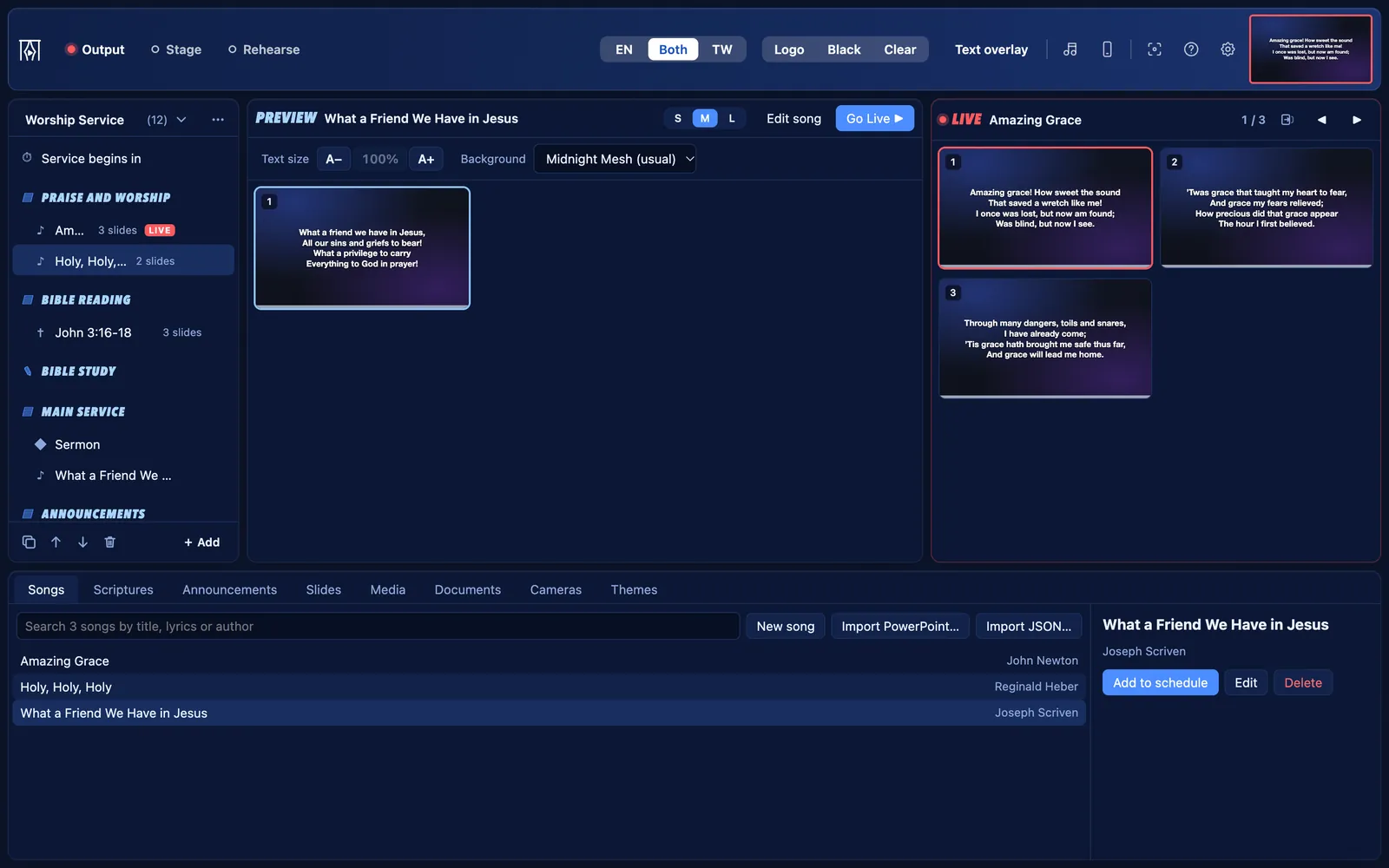
Songs and Bibles
Song lyrics, hymnals you can search by hymn number, and seven Bibles built in. Show a passage or a verse in two languages side by side, with one switch in the toolbar.
Learn more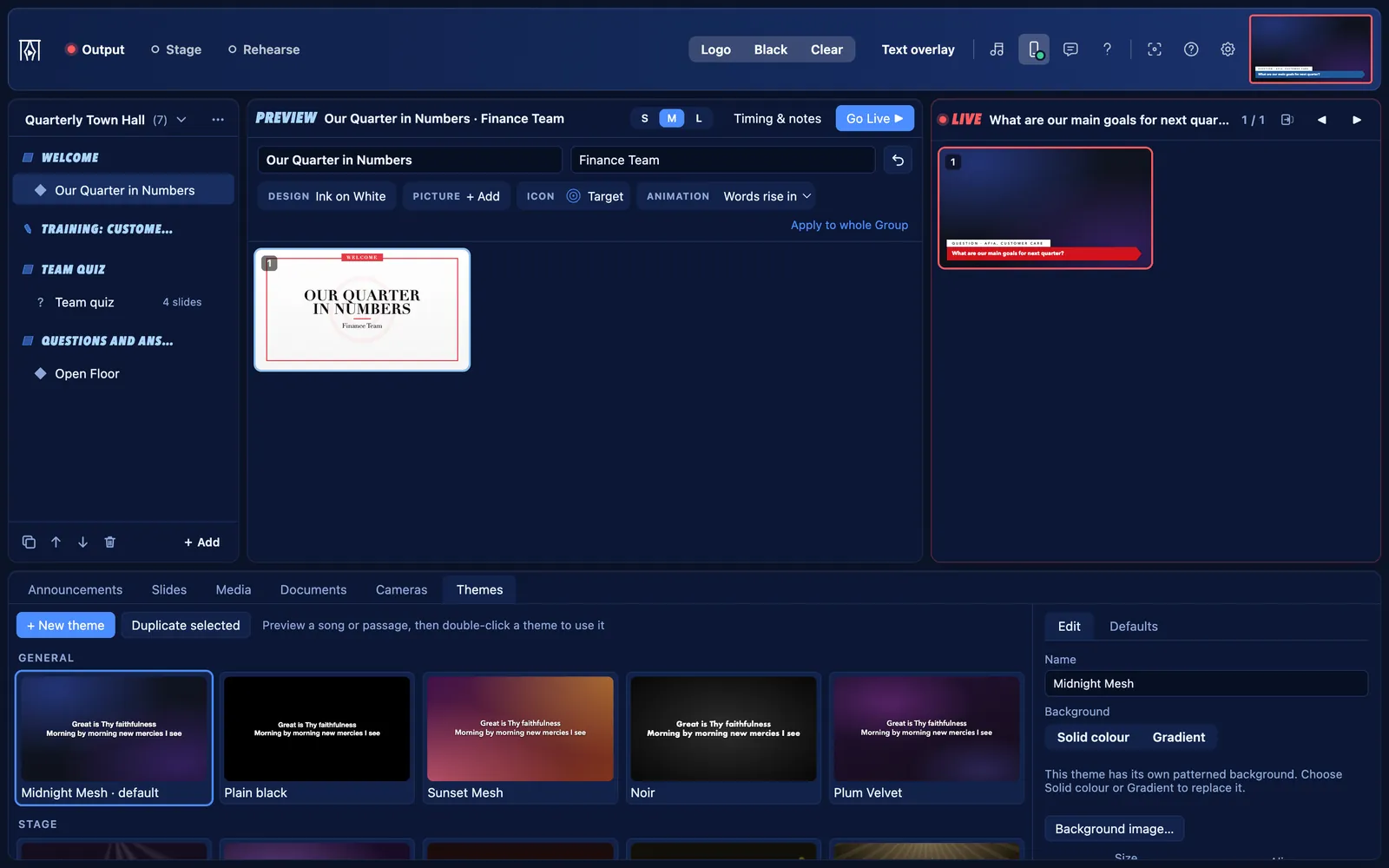 Your look
Slides and themes
Make your own slides in ready-made designs, then make them yours with your colours, your fonts and your logo. Name lists and quiz questions are slides too.
Learn more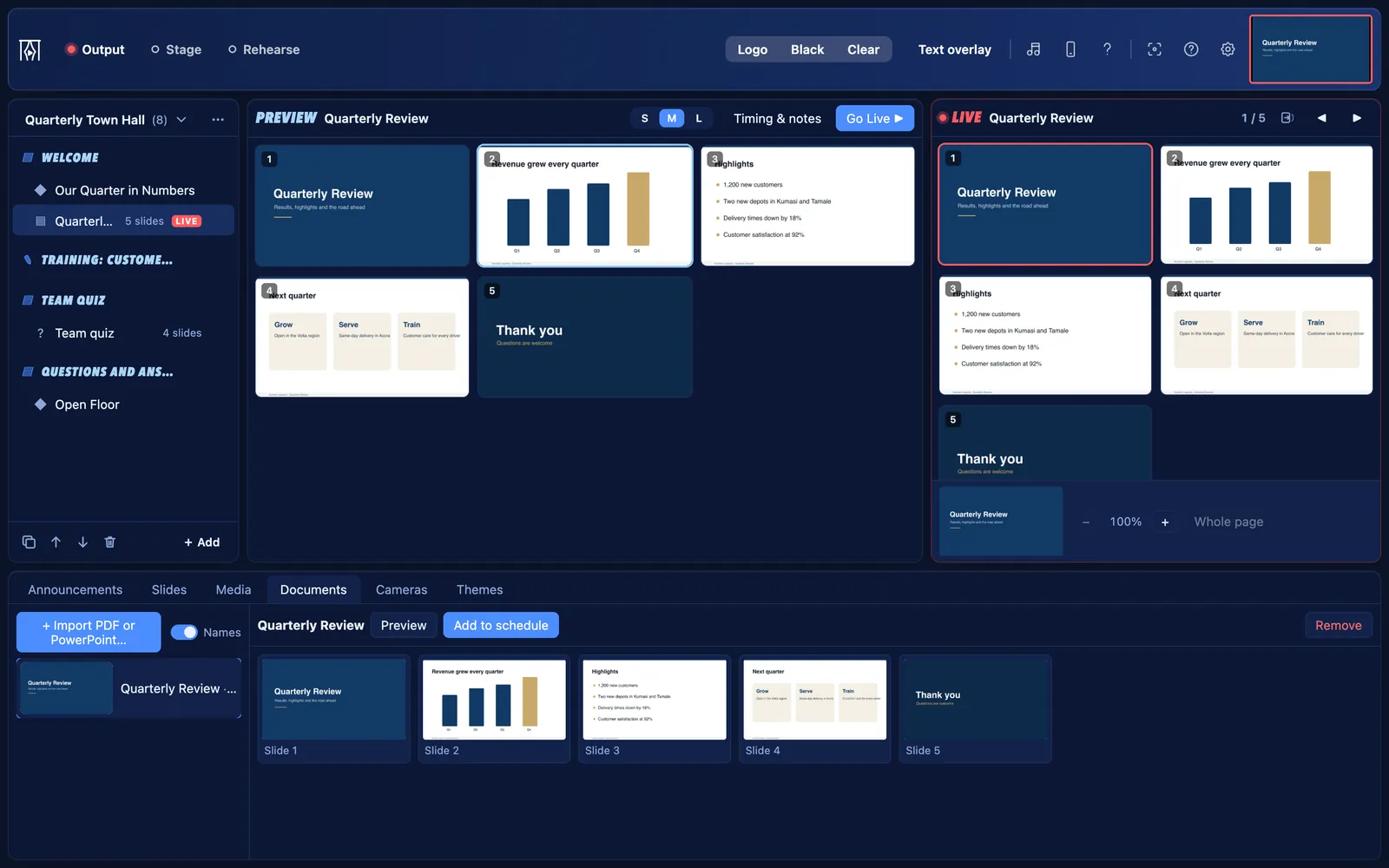 Bring what you have
PDFs and PowerPoint
Drop in a speaker’s slide show or a PDF and step through its pages live, right alongside the rest of your programme.
Learn more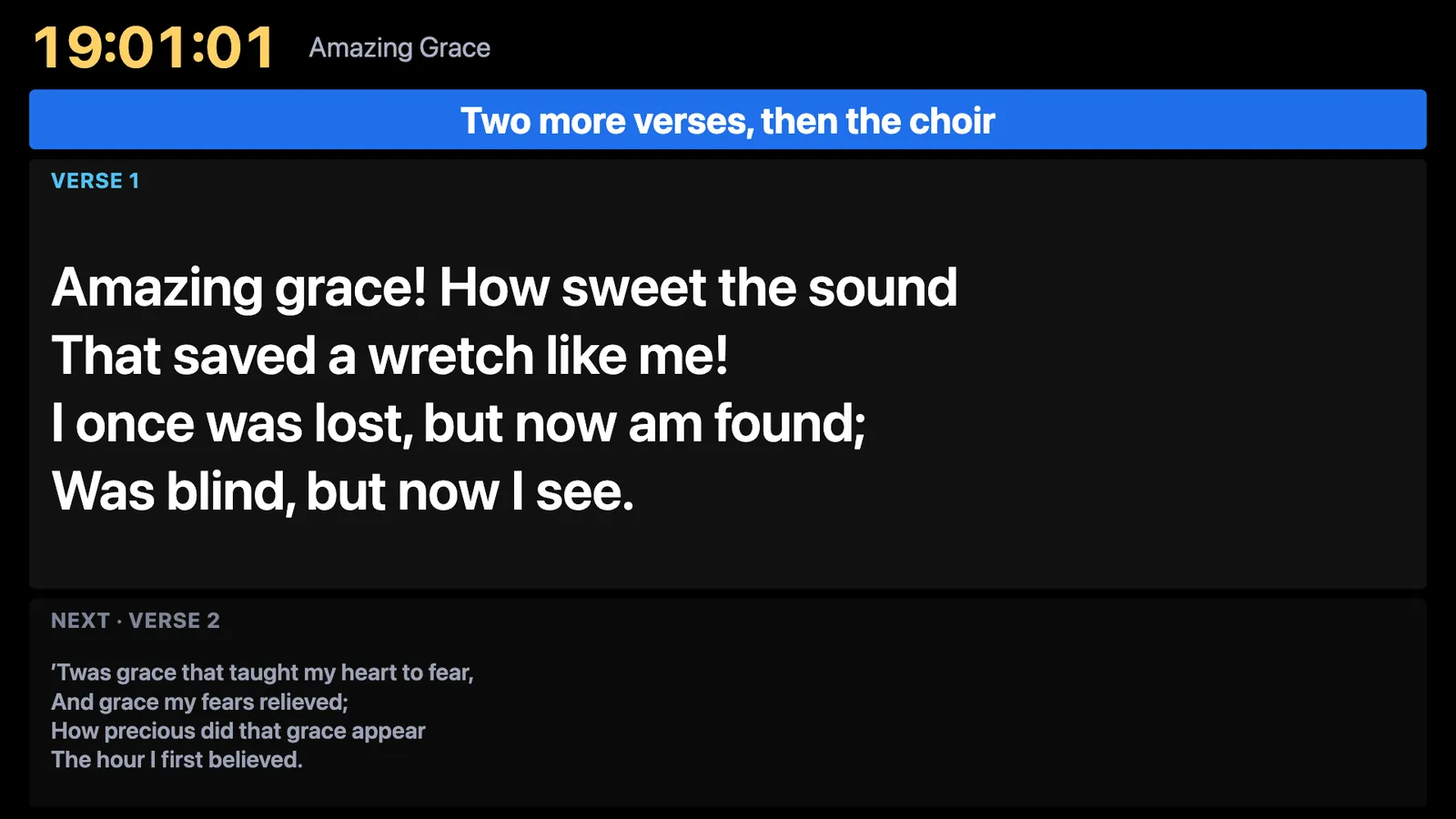 For the people on stage
A stage display
A second screen for speakers and musicians with the clock, the words now and next, messages from the desk, and a timer that warns when time is nearly up.
Learn more
Every phone in the room can help
It works in the phone’s own browser, with no app to install. Everything connects over your own Wi‑Fi.
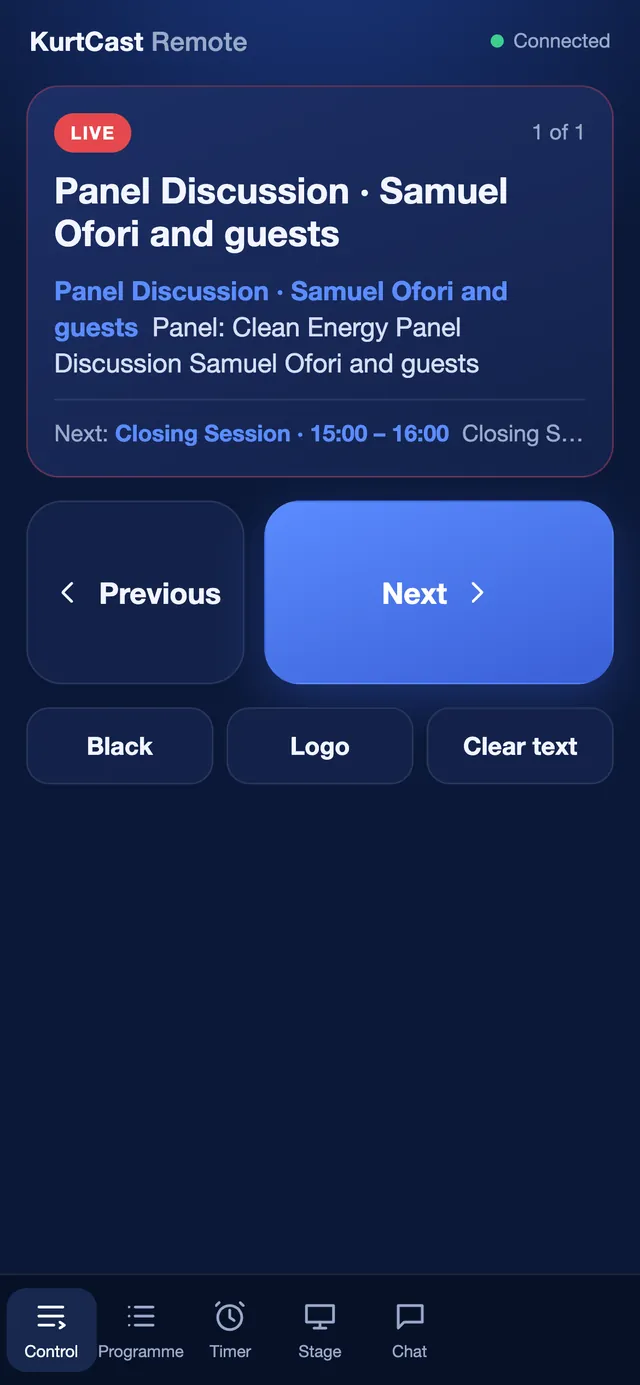
A phone as a remote
Next, previous, Black and the whole schedule, from any phone. Nothing to install.
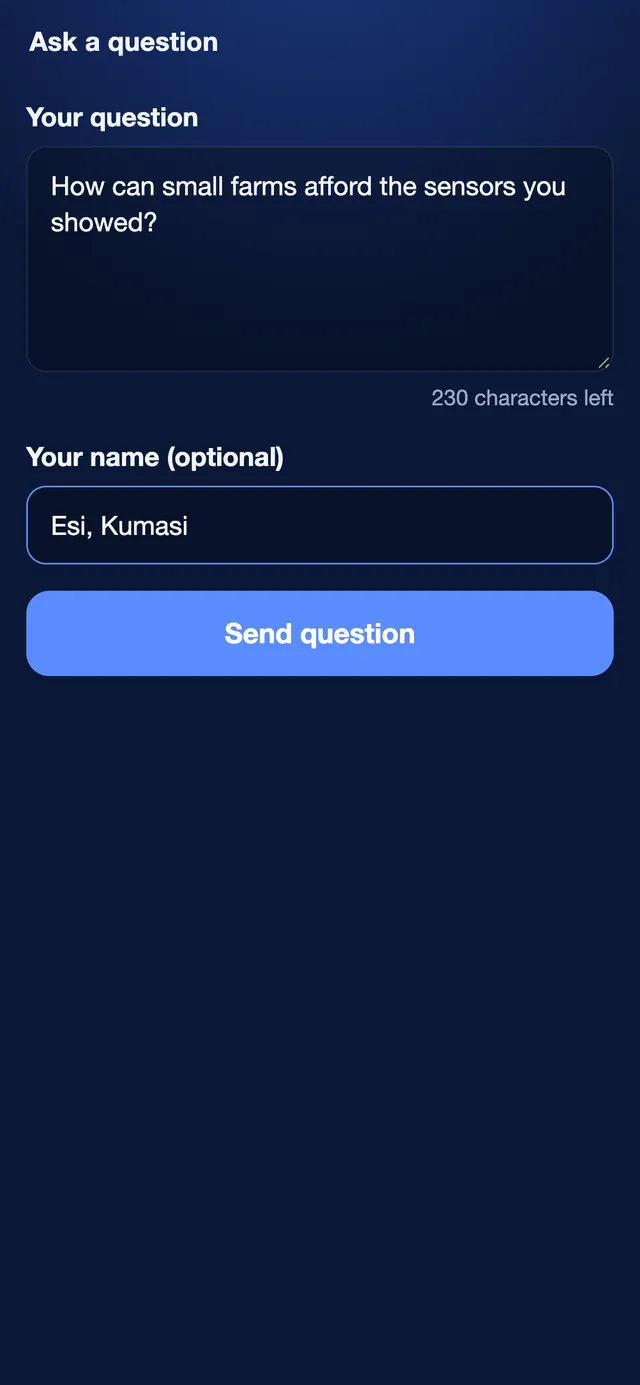
Questions from the room
People scan a code and send questions. You choose which ones reach the screen.
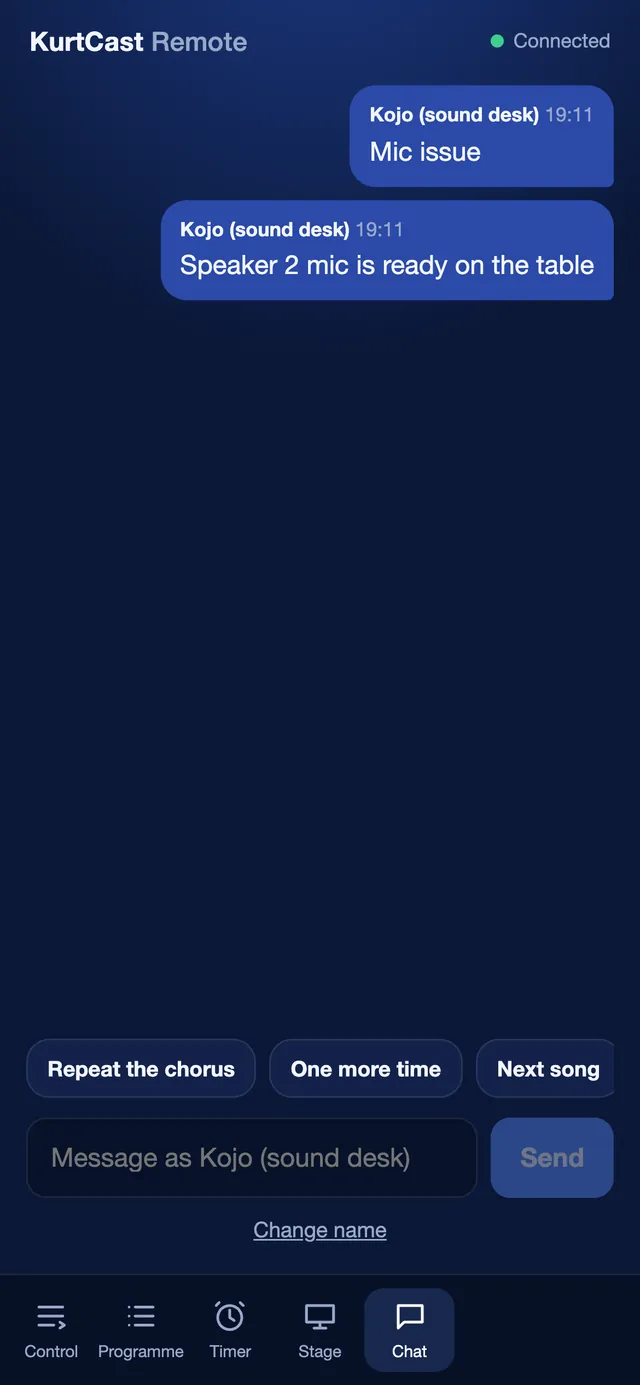
Notes to the stage
Send a quick message from the remote’s Chat tab straight to the stage screen.
Turn a phone into a camera
Up to three phones join over your Wi‑Fi as live cameras, with a red ring on the phone when it is on screen. The Companion app makes it a one-tap setup, with no certificate to install.
Phones and CompanionFrom your programme to the screen
Line it up, check it, put it live. That is all of KurtCast in four steps.
- 1
Step 1: Schedule
Put talks, songs, slides, videos and cameras in order.
- 2
Step 2: Preview
Check what comes next. Nothing changes on screen.
- 3
Step 3: LiveLIVE
One click sends it out. Step through with a clicker.
- 4
Step 4: The screen
The projector shows only the slides, full screen.
One app, set up for your organisation
When KurtCast first opens, it asks what it will be used for and switches parts on or off to suit. Nothing is deleted, and every part can be switched back on in Settings → Features.
Church
Services with songs, hymns and Bible passages
- Worship services
- Bible studies
- Youth meetings
School
Assemblies, lessons, exams and prize-giving
- Assemblies
- Lessons
- Exams
Conference
Talks, sessions, speakers and sponsors
- Talks and sessions
- Speaker introductions
- Q&A
Event
Weddings, funerals, graduations and celebrations
- Weddings
- Funerals
- Graduations
Business
Meetings, training and company events
- Town halls
- Workshops and training
- Team quizzes
Something else?
Pick the closest match, then switch on exactly the parts you need. Songs for a school choir, quizzes for a church youth night: it is all one switch away.
How the switches work
- macOS
- Windows
- PowerPoint
- OBS
- vMix
- Webcams and capture cards
- Any phone browser
Is it really free?
Yes. KurtCast is free to download and use, on as many computers as you like, for churches, schools, businesses and events, even where admission is charged. There are no adverts and no accounts. See the licence.
Is it only for churches?
No. When it first opens, KurtCast asks what it will be used for: Church, School, Conference, Event or Business. It switches on the parts that fit and uses the right words, so a school sees “audience” and “programme”, not “congregation” and “service”.
Every part can be switched on or off later in Settings → Features. See who it is for.
Does it need the internet?
No. KurtCast works fully offline. Phones, remotes and stage screens connect over your own Wi‑Fi, not the internet. It goes online only when you choose to search Stock photos and videos, or show a web page you added to a schedule.
Why do Mac and Windows warn me when I open it?
KurtCast is new, and its installers are not yet signed with a paid certificate (Windows) or notarized by Apple (Mac). So your computer cannot confirm who made it, and asks you first.
On Windows, the Microsoft Store version opens with no warning. For the others, follow the steps for Mac or Windows. You can also check the download’s checksum.
Is my data private?
Yes. Your songs, schedules and settings stay on your computer. KurtCast has no accounts, no analytics and no update checks, and sends nothing about you anywhere. Read the privacy policy.
Download KurtCast today.
Set it up in a minute and put your next programme on screen. No account, no internet needed.