
Applies to:
Steps
Open the stage display
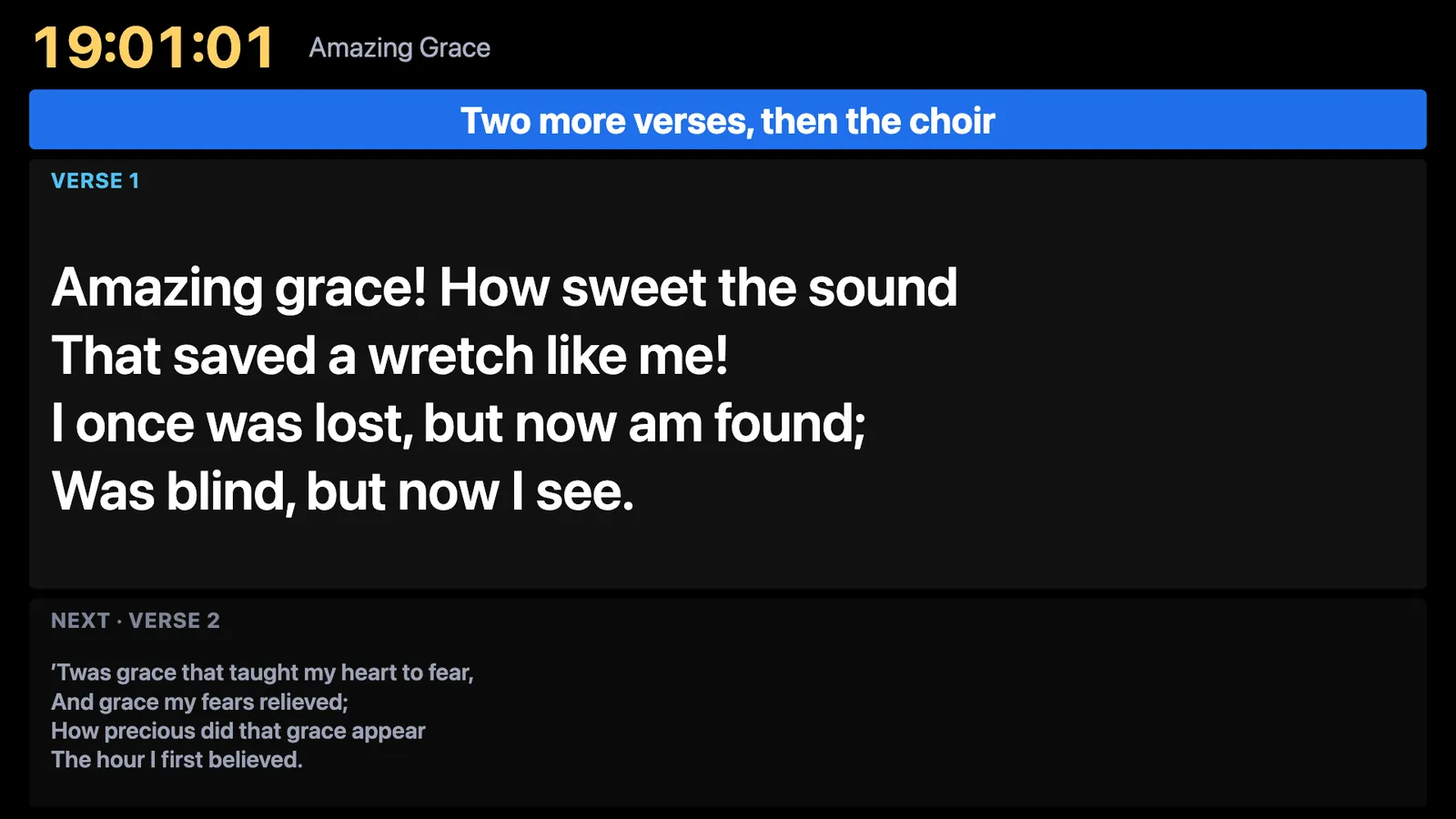
Press Stage in the toolbar. It shows a clock, the current slide, the next one, the state of the main screen and a message you type in the toolbar. Choose which display it opens on in Settings → Screens.
Choose a layout
In Settings → Screens → Stage layouts, click a layout: Standard, Words only, Now and next, or Speaker clock. Copy to change makes your own, choosing which parts show.
Set the timer warnings
A stage timer or live countdown turns amber at 5 minutes left, red at 1 minute with Wrap up beside it, then says Time’s up. Settings → Screens → Stage display turns them off or changes when.
Use a tablet or TV as a stage screen
Switch on the network in the Connect window (the phone icon in the header), then open a stage link in any browser on the same network. Each link can use its own layout.